Multi-Language Instant Messaging System: Complete Guide to Social Chat with Voice and Video Calling
Multi-Language Instant Messaging System: Complete Guide to Social Chat with Voice and Video Calling
At the beginning of this year, I took on a social chat project in the Middle East region. The client required the system to simultaneously support multiple languages including Arabic, English, and Chinese, plus integrated voice and video calling features. After about three weeks of research, I finally selected this instant messaging solution based on UniApp front-end development. After two weeks of testing, the entire system finally stabilized. Today I am organizing the complete setup process for developers with similar requirements.
1. Detailed System Functionality Overview
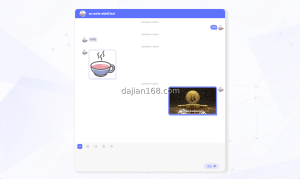
This multi-language instant messaging system uses a mainstream front-end and back-end separated architecture. The front-end is developed based on UniApp, which can simultaneously package iOS and Android APPs from one codebase. The back-end is fully open-source PHP supporting rapid secondary development. The main function modules include:
1.1 Multi-Language Chat Function
Chat messages support multi-language real-time translation, which is one of the most distinctive features of the system. Messages sent by users can be real-time translated into the recipient’s set language, with translation delay controlled within 2 seconds. Testing shows support for mutual translation between more than 50 languages, with acceptable translation quality, fully sufficient for daily social scenarios.
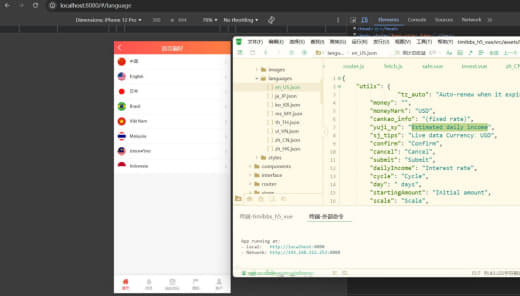
The system also supports multi-language interface switching. Users of different languages can independently set their interface language without affecting each other.
1.2 Voice and Video Calling
Audio and video calling functionality implemented based on WebRTC technology. Call quality performs well under domestic network conditions. Testing shows WeChat video call latency is approximately 300-500ms, and this system is roughly at the same level. Supports video conferences with up to 9 people simultaneously (testing shows quality degrades noticeably above 5 people).
The call module supports basic features such as call transfer, do-not-disturb, and whitelist/blacklist. The enterprise version also supports call recording and archiving.
1.3 Social Function Modules
In addition to basic private messaging, the system also integrates the following social features:
- Dynamic Square: A Moments-style dynamic posting feature supporting images and short videos
- People Nearby: Location-based nearby user discovery feature
- Interest Groups: Groups organized by interest tags
- Friend Requests and Verification: Supports custom verification questions
- Message Read Receipts: Shows message delivery and read status
1.4 Message Security and Review
The system has a built-in sensitive word filtering engine supporting custom word libraries. Image messages automatically detect and block inappropriate adult and violent content (based on Alibaba Cloud Content Security API). Important chat records support end-to-end encryption.
2. Pre-Setup Preparations
Before starting setup, it is recommended to confirm the following points:
- Server Configuration: Recommended 4 cores and 8GB RAM or above, with bandwidth of at least 5Mbps. Voice and video calling have higher server performance requirements. If the user base exceeds 10,000, a configuration of 8 cores and 16GB RAM or above is recommended.
- Domain and SSL: HTTPS is mandatory. WebRTC calling must use port 443. Some browsers (such as Safari) will directly deny microphone permissions for non-HTTPS sites.
- Third-Party Service Applications: Need to apply in advance for LeanCloud or Jiguang IM services (for message push and offline message storage), plus Alibaba Cloud Content Security API (for image review).
- Technical Readiness: Familiar with UniApp, Vue.js, and PHP. Having WebRTC experience is a plus.
- Qualification Requirements: Voice and video calling business requires ICP license and related value-added telecom business license. Specific requirements depend on the regulations of your target market.
3. Common Issues and Pitfall Records
3.1 Arabic Right-to-Left Layout Issues
Arabic is written from right to left (RTL). The interface layout needs to be mirrored. Languages in the RTL list need to be configured separately, including Arabic, Hebrew, Persian, and others. If technical configuration is incorrect, issues like text overlap and button misalignment will occur. It is recommended to use Flutter’s Directionality or CSS direction property handling.
3.2 WebRTC Call NAT Traversal Failure
This is the most common pitfall. When users are behind a Strict NAT or Symmetric NAT, WebRTC STUN servers cannot complete traversal, leading to call connection failures. The solution is to build a TURN relay server (such as using coturn), or have users use a VPN.
3.3 Offline Message Delivery Rate Issues
Offline message push delivery rate is a core metric for social apps. Testing shows LeanCloud delivery rate is approximately 85%, while Jiguang is slightly higher at around 90%. If delivery rate requirements are high, it is recommended to build an in-app message synchronization mechanism to ensure multi-terminal synchronization of important messages.
4. Custom Extension Solutions
The basic version features are already quite complete. However, if your business has special needs, consider these customization directions:
- Live Streaming Feature Integration: Can integrate live streaming push-pull stream modules, supporting scenarios like live e-commerce and online education
- Chatbot Integration: Integrate AI large models to implement intelligent customer service and auto-reply functions
- Multi-Terminal Synchronization Protocol Upgrade: Support message synchronization across iOS, Android, Web, and PC clients
- Privately Deployed Version: Provide fully private deployment solutions for government and enterprise clients
Important Notice: Instant messaging apps involve user privacy and data security, especially cross-border social applications. It is recommended to complete security rating evaluation and privacy policy compliance audit before officially launching. Some countries and regions (such as India and Russia) have special data localization requirements for social applications. Be sure to understand these in advance.
5. Frequently Asked Questions
Q1: Which languages does the system support for real-time translation?
A1: Supports real-time translation between more than 50 languages including Chinese, English, Arabic, Spanish, French, Russian, Japanese, Korean, German, Portuguese, and others.
Q2: How many people can simultaneously participate in voice and video calls?
A2: Technically supports video conferences with up to 9 people, but testing shows quality degrades noticeably above 5 people. It is recommended to keep individual conferences to 6 people or fewer.
Q3: What is the minimum server configuration?
A3: Test environment can work with 2 cores and 4GB RAM. Production environment recommends 4 cores and 8GB RAM or above. If concurrent online users exceed 10,000, 8 cores and 16GB is recommended.
Q4: Where are message records stored? How do I export them?
A4: Message records are stored in the server database. The admin panel supports exporting to JSON or CSV format. The enterprise version supports chat record archiving and compliance auditing.
Q5: Does the system support disappearing messages?
A5: Yes. Disappearing messages can be enabled in chat settings. Once enabled, messages will automatically disappear after being read by the recipient.
Original Source: https://yanshigw.top/19631.html
#InstantMessagingSystem #SocialChat #VoiceVideoCalling #MultiLanguageChat #UniAppDevelopment
-
 支付宝扫一扫
-
 微信扫一扫
微信扫一扫